Context
SDSLabs is a student-run Software Development Section based in IIT Roorkee, comprising a bunch of developers and designers who work collaboratively on their own ideas or projects.
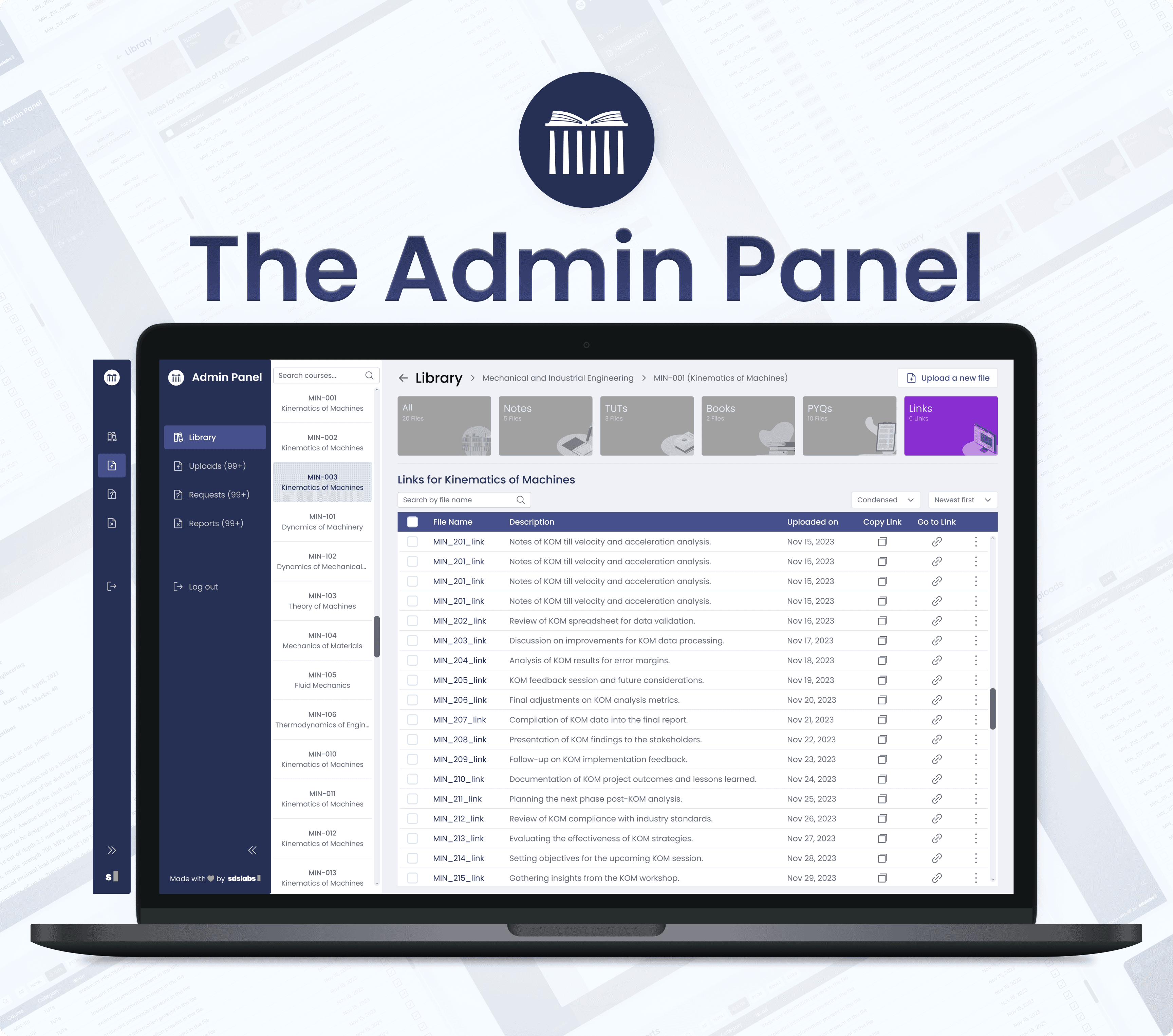
Study Portal is one of the multiple projects designed and developed solely by SDSLabs. It is basically a platform to help the students of IITR find study resources for their courses. There is a mobile version of the app for the students to use, and a web version for the admins.
For the Admin to deal with hundreds of files together, a mobile app for Admin Panel wasn’t scalable, hence, we decided upon a web version.
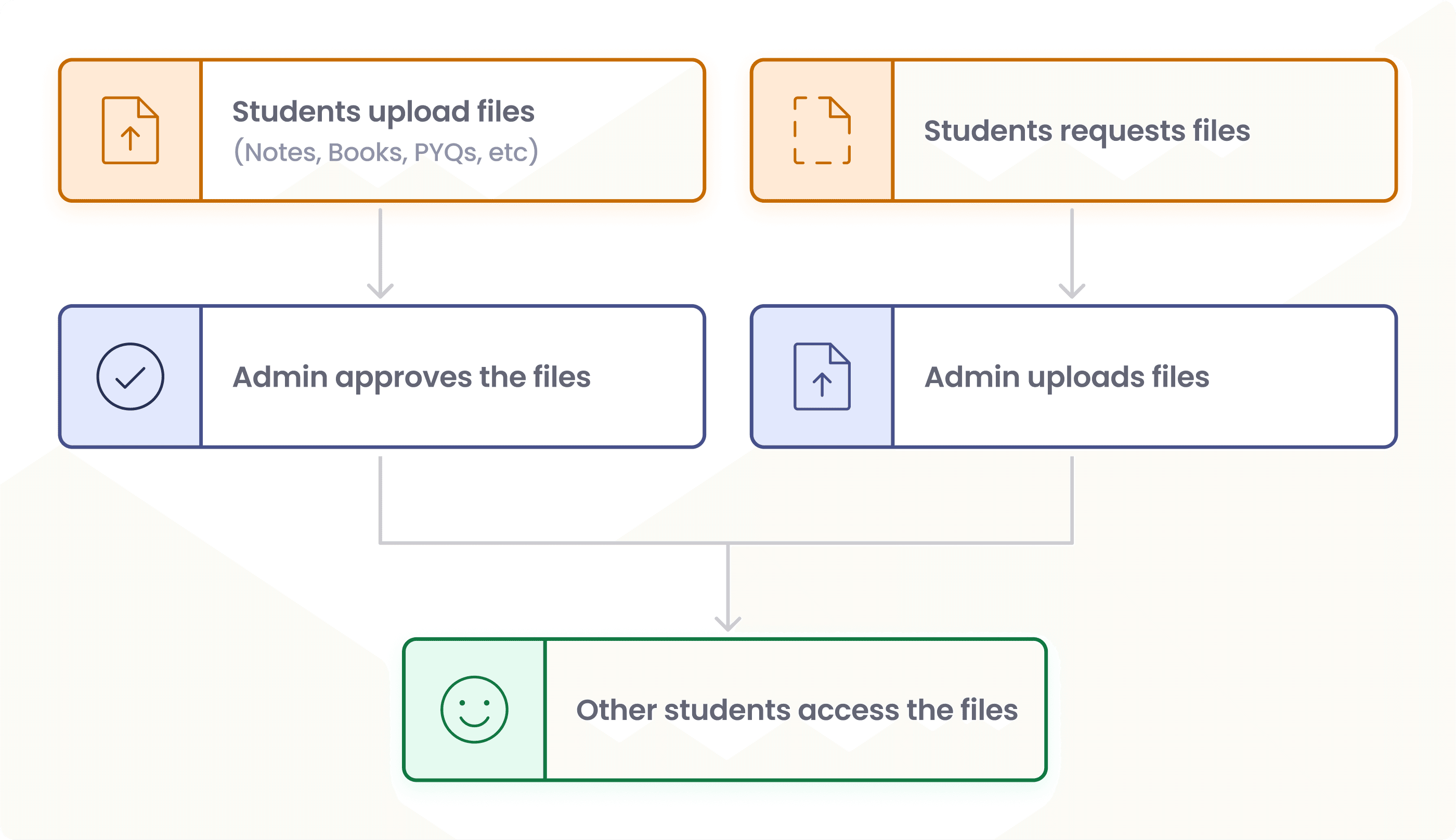
Its working is simple: students (of IITR) upload or request various study resources, and the admin approves or uploads the requested files, from where other students can access the files.
Understanding the problem space
The primary work of the Admin is to —
provide for files requested by students
check and approve the files uploaded by students
take necessary actions on the files reported by students
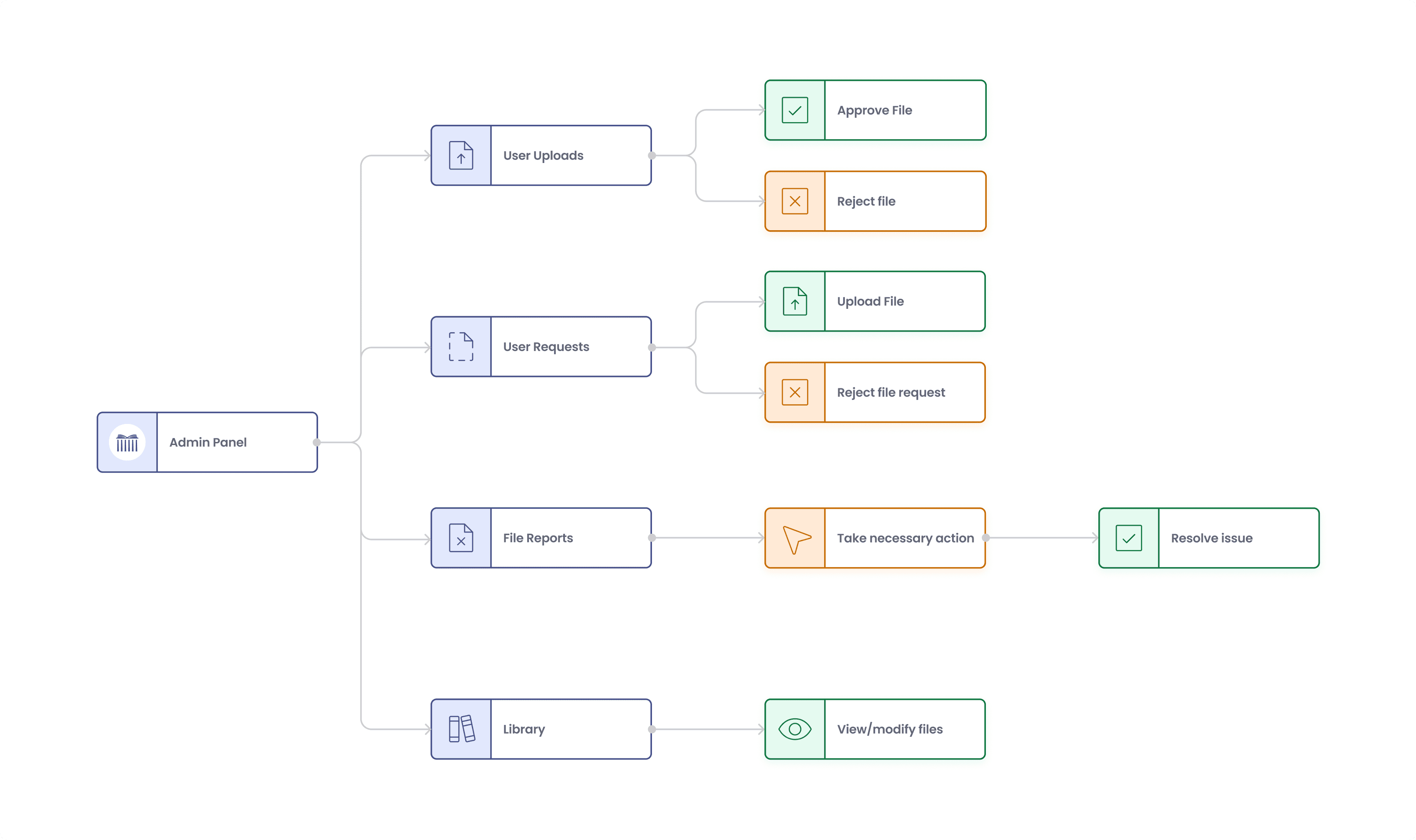
IIT Roorkee has around 23 departments, more than 100 courses in each, and multiple study resources in each course. There needs to be a body to look over and manage all these files.
Although an Admin Panel already existed before, it had some significant problems —
Admin couldn’t view files in the database other than those to be approved.
There was no option for the admin to upload files on their own, but only the requested files.
No reported file handling system.
With so many files on a single page, there was no search or filtering system.
Table rows were redundant and lacked important information.
Cluttered side-nav bar.
Without proper control given to admin, there will be a huge problem with the regulation and management of files
Solutions
The final iteration of the Admin Panel consisted of four sections:
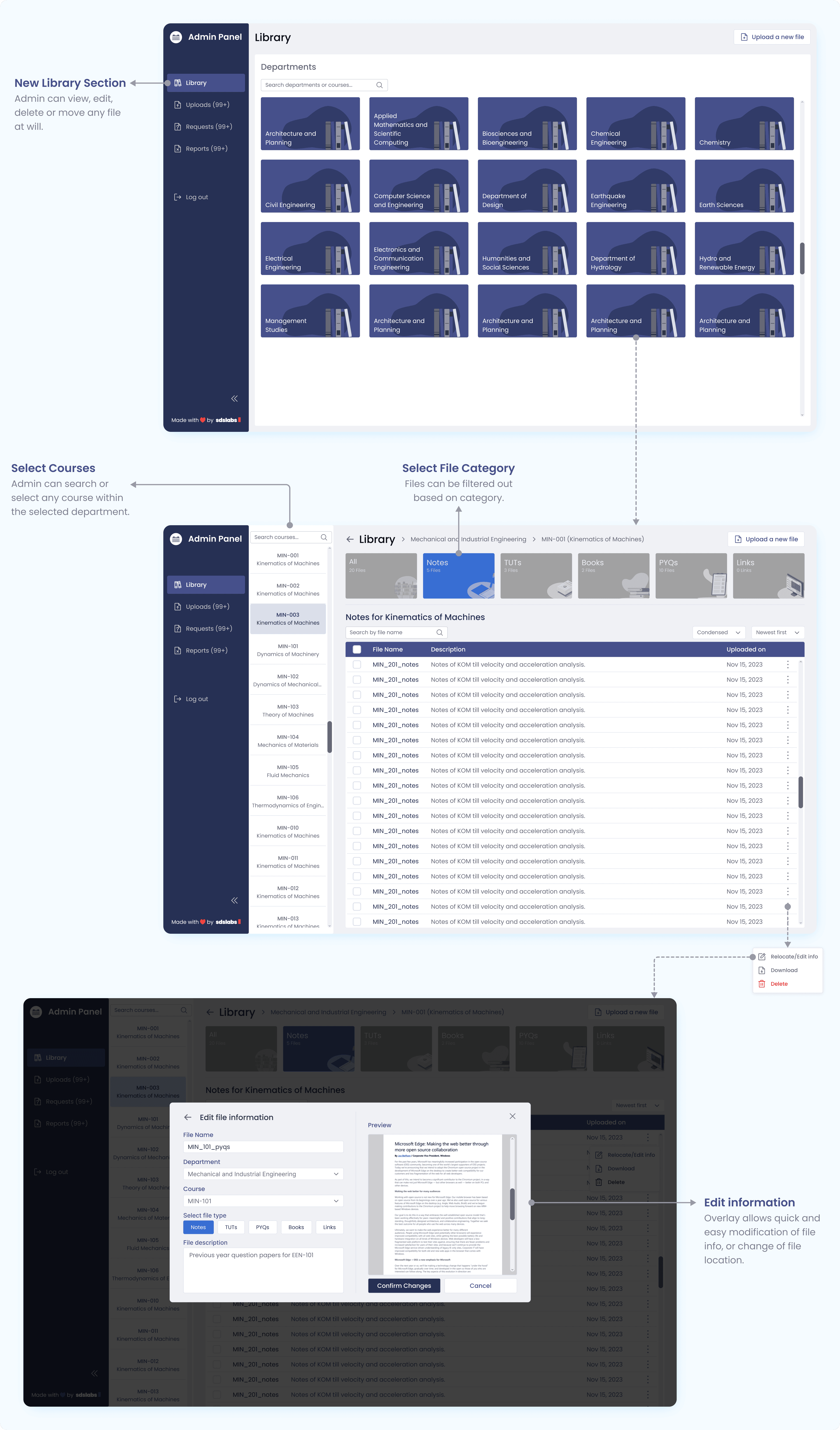
Library
for admins to access and manage any file whenever they want.
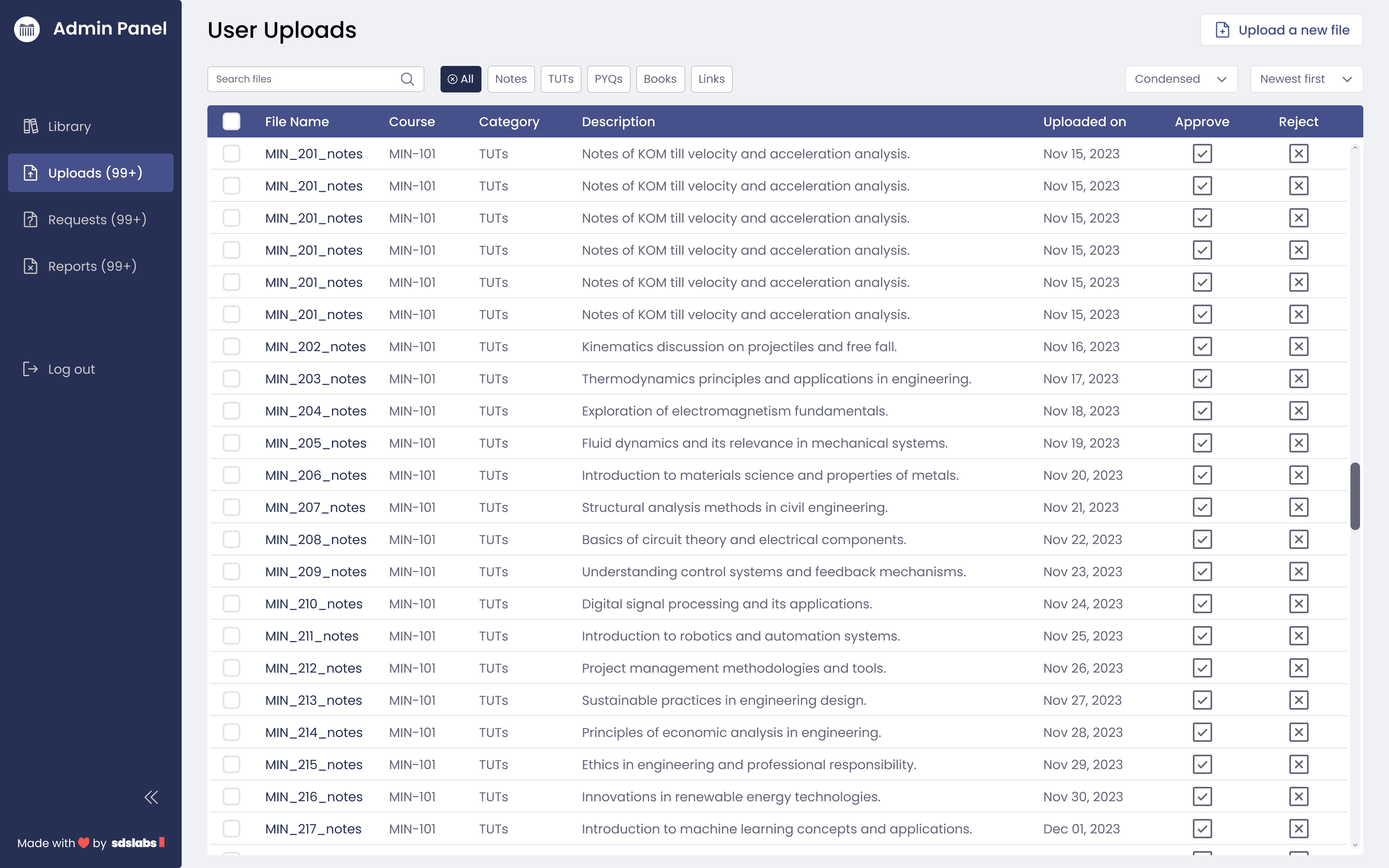
User Uploads
For admin to review user uploaded files and approve them, or reject them if they're inappropriate.
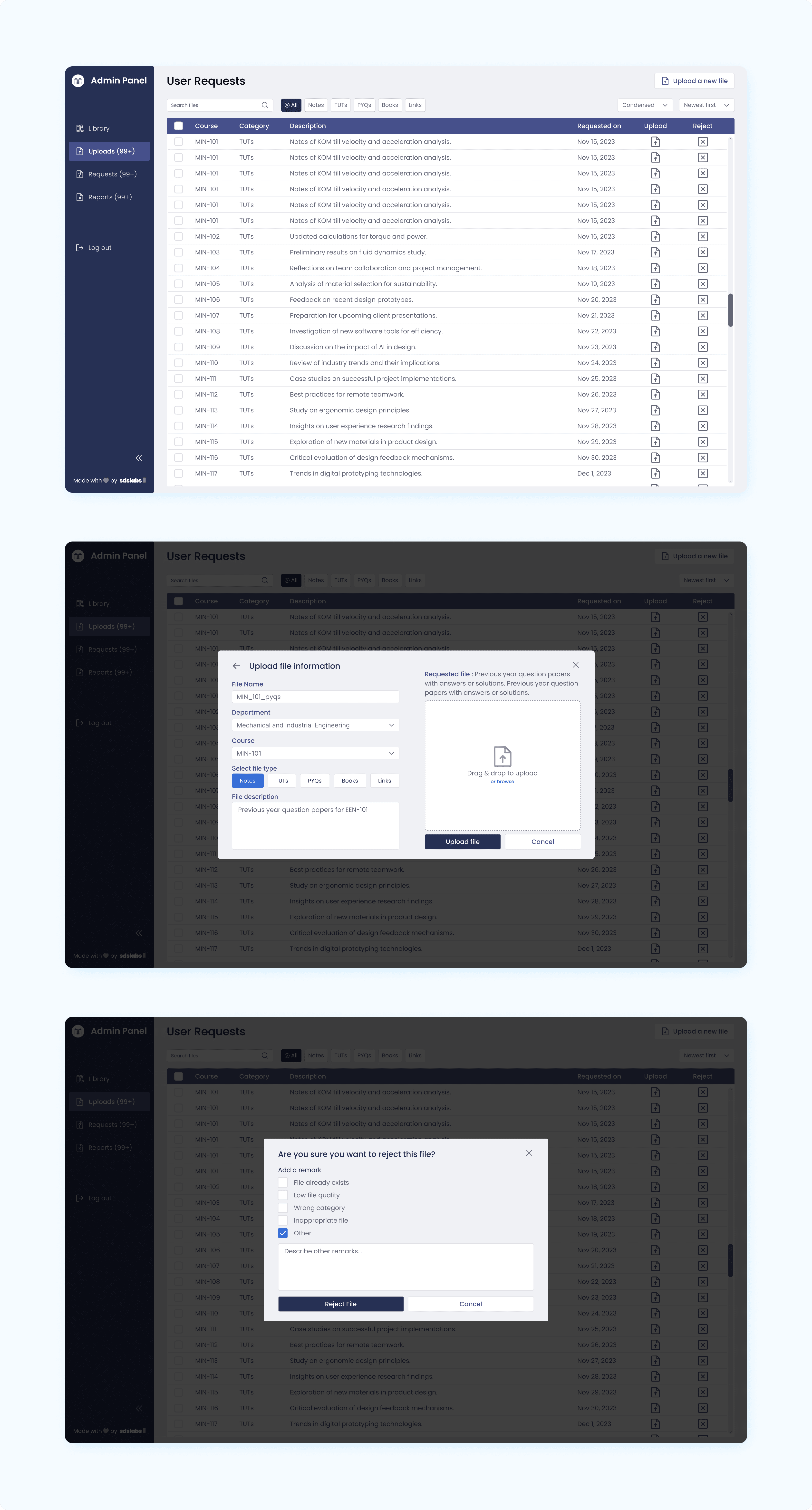
User Requests
To see files that are students wanting for, and find them to provide for the students.
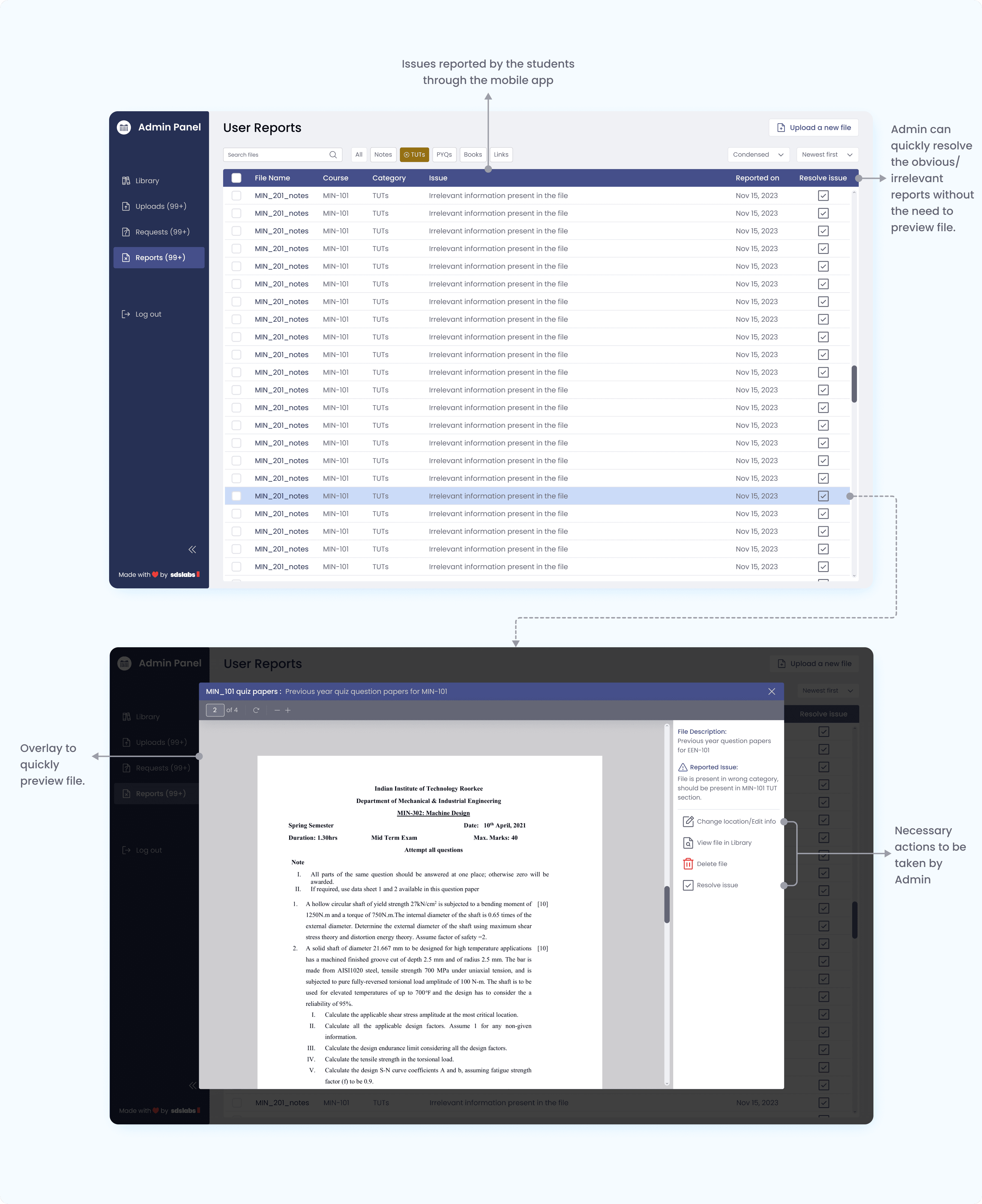
User Reports
To see files that are reported by students, and take appropriate actions on them.
Final Thoughts
Through this project, being one of my initial projects, I developed my design process and learned that every project presents its own unique challenges. I came to understand that product design is a collaborative process that involves a cycle of feedback and iteration to refine and improve the design.
Through this experience, I gained the confidence to approach any problem with logical reasoning and an appreciation for the various considerations that go into creating a successful and usable design.
Read the detailed documentation here.